Send videos to your room from YouTube
The youple.tv extension for Chrome adds videos to your room's playlist straight from YouTube. No more copying and pasting links.
Made for desktop Chrome. It should also work in other desktop Chromium browsers, including Microsoft Edge and Brave.
Coming soon to the Chrome Web Store
Try the developer preview
Try it in desktop Chrome or another Chromium browser. This build hasn’t been reviewed by Google. Installation and updates are manual.
Download developer preview (.zip) Version 1.4.2
Installation and updates
- Download the ZIP and extract it into a folder you’ll keep on your computer.
- In Chrome, open
chrome://extensionsand turn on Developer mode. - Choose Load unpacked and select the extracted folder containing
manifest.json. Keep that folder after installing. - Open a youple.tv room, then open or refresh YouTube. Pin the extension from Chrome’s puzzle-piece menu and click the cat to send a video.
Using Edge or Brave? Open edge://extensions or brave://extensions, then follow the same steps. Other Chromium browsers have a similar Extensions page.
To update, download the latest ZIP here, replace the files in the same folder, then click Reload on the extension at chrome://extensions. Refresh your YouTube and youple.tv tabs.
Once the Chrome Web Store version is available, remove the developer preview and install the store version for automatic updates.
How it works
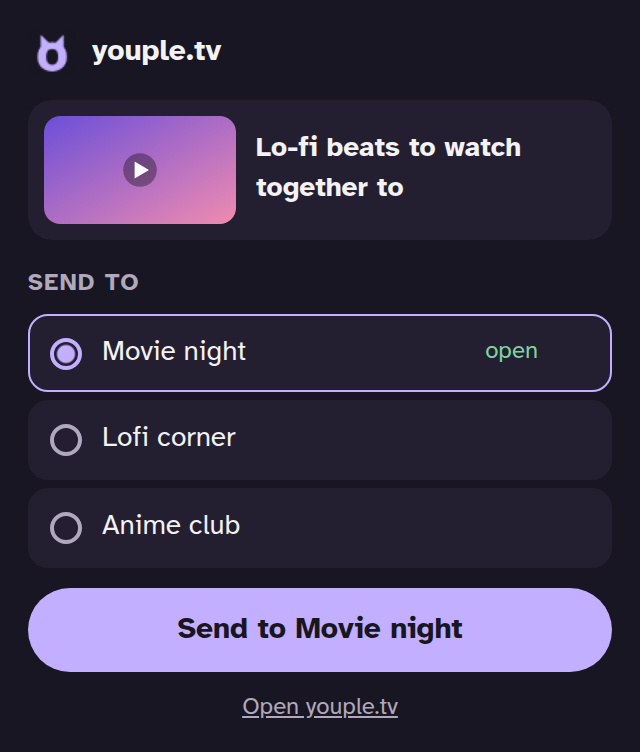
- On a YouTube video, click the cat in your browser toolbar, choose a room and press Send.
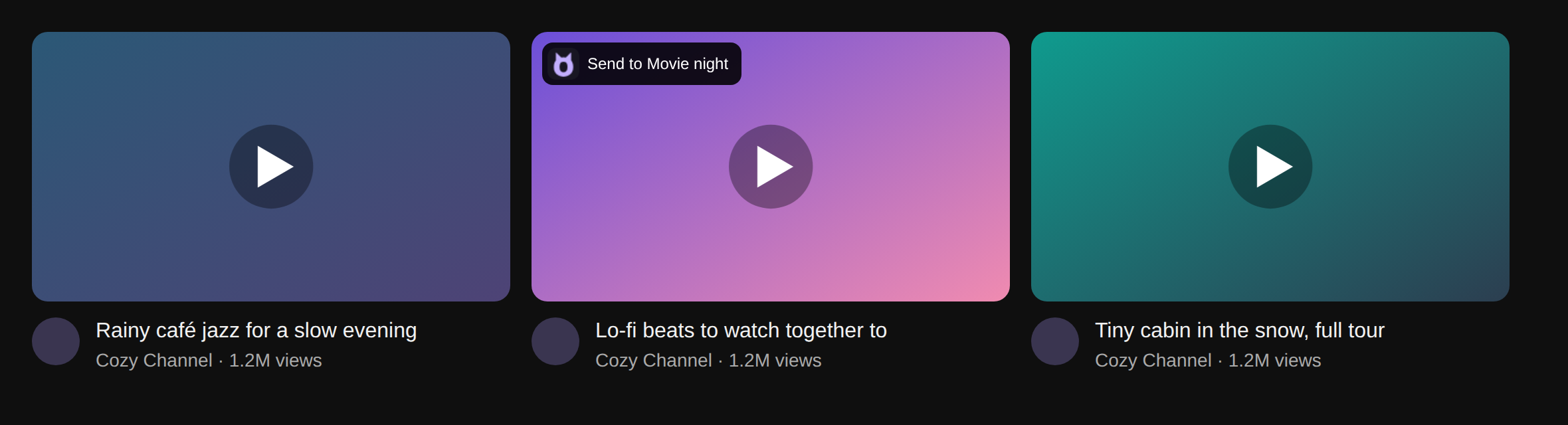
- On YouTube, hover over a video thumbnail and click the cat in its corner.
- On YouTube Shorts, tap the youple button under Share.
- If the room is open, the video joins the playlist right away. If not, the room opens in a background tab with the video added.
Your rooms
Rooms show up in the extension once you've opened them. If you're signed in on youple.tv, your saved rooms are there too.
Privacy
The extension keeps room names and links in your browser and sends video links only when you click its buttons. It does not track what you watch. Read our privacy page.